home resume subscribe contact publications design teams layouts altered art/minis cards

Sunday, November 8, 2009

Warm and Cozy


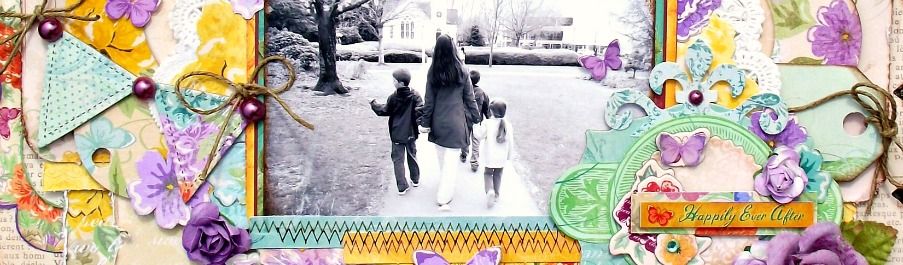
I knew after taking those photos of my daughter the other day while feeding the ducks that I wouldn't take long to scrap them. I had intended on using other papers completely but ended up with what you see here - a little Pink Paislee mixed in with Bo Bunny and a few other manufacturers. After taking photos and uploading, the layout seemed a little bare to the right. I wasn't planning on journaling but decided to add some in digitally and I think it looks much better.

I used a scallop die cut from Making Memories, cut out the centre and left about an inch from the edge. I flipped it over, inked the scallops and then rolled up the edges to reveal the beautiful turquoise pattern on the front.

Bo Bunny Kitchen Spice papers are just so gorgeous. The perfect embellishment is right in the patterned paper and the colours are to die for! Thanks for stopping by today - enjoy the rest of your weekend!

Friday, November 6, 2009

Holiday Sampler Event is Tomorrow!

Join Scrapbook News & Review tomorrow for an awesome time at our holiday sampler event! We will have challenges, games and prizes!

Here are some of the manufacturers who will be hilighted:

Bo Bunny
Fancy Pants
Glitz Designs
Graphic 45
May Arts
My Little Yellow Bicycle
Stewart Superior
Technique Tuesday

Tune in every hour to see some creative projects, classes and great inspiration from our talented Staff Members!

Wednesday, November 4, 2009

Some Editing

I've been as busy as an elf getting my Holiday projects completed (of course, I can't show any of them to you just yet...)

In the mean time, it occured to me that little tips and tricks that I do automatically, may not be something any of you are use to doing. I started scrapping a little over a year ago and looking back, my style has changed dramatically!

This is one of the very first layouts I ever created.

I always find that I am drawn to layouts with beautiful photos. Simple adjusting of contrast and colour can make a huge difference in your photos. You don't necessarily need expensive software to achieve this effect either. The program I use is ancient and actually came with my computer when I first bought it years ago; "Microsoft Picture It". I LOVE it!! Wrinkles, blemishes, marks, stains, etc - be gone! Of course I never edit any of my 'own' photos ;>


Here is an example of some before and after photos. What a difference! The after photos may not look great in a regular photo album, but for layouts, they just stand out so much better against bold patterned paper.


For each of the after photos, I increased the contrast dramatically. Thereafter, I adjusted the photo colour to as bright as it would go - without losing the contrasting lines defining the facial features, etc.

Blog Widget by LinkWithin